
How to Migrate Your Website Without Killing Your SEO?
More Blogs
Website migration without affecting rankings
03/Jun/2026
Launching a brand-new website is a crucial milestone for any business in Dubai. It usually signals growth, a more polished brand identity and a chance to deliver a noticeably better user experience. But many businesses face an operational danger of website migration when going for the upgrade of their website.
If your company depends on organic search engine leads, then an unmanaged migration can be straight up disastrous. If unplanned, then it is natural to see a firm roll out a great looking new platform, only to watch keyword rankings, organic visibility and digital revenue slide down, like 40% to 60% basically overnight. That happens because search engines like Google lose the structural “map” of your pages, and in effect it can erase years of earned domain authority.
Migrating website without destroying your search presence is completely doable, but only if you treat the launch as a combination of technical plus strategic routine. Below is a practical step-by-step framework to help ensure the move keeps your traffic steady and protects your commercial footprint.

Pre-Launch to Post-Launch tracking
A smooth migration needs real coordination between your web development team, SEO team and your marketing team. The schedule breaks into three phases, just to keep data from slipping away during the structural handoff:

1. The Pre-Launch Phase: Mapping Your Digital Footprint
You cannot protect what you never bothered to track. Before even one line of code gets dragged onto a live server, you should first compile real inventory of what you already have, especially your website architecture.
- Execute a comprehensive site crawl: Grab diagnostic tools like Screaming Frog, or some deeper indexing crawlers. You want to pull out every live URL on your current domain. That means blog posts, landing pages, category paths, and even image attachments.
- Identify high-value SEO assets: Pull your metrics from Google Analytics and Google Search Console. Look at which pages are doing the heavy lifting. Isolate the top 20% that generate something like 80% of your organic leads. Those pages need tight preservation. Their text structure, the target keywords, and internal heading markers (H1, H2) should stay mostly as they were, even during the rebuild.
- Construct a 301 redirect map: This part is kind of the linchpin. A 301 redirect tells crawlers, and actual humans, that a page has permanently moved to a new location. So create a spreadsheet that matches every old URL to its exact new URL.
- Avoid the lazy trap: Don’t just redirect everything to your new homepage. When you do mass homepage redirect patterns, Google can treat it like “Soft 404” behavior, and the historical ranking weight from those legacy links gets weakened pretty fast.
2. The Development Phase: Building an AI-Ready Foundation
While your new website, or ecommerce platform in Dubai, is forming, the coding framework underneath it is what really decides how smoothly search engines can interpret and index your updated layout.
- Keep staging environments hidden: While your new site is getting built on a staging subdomain (e.g., staging.yourwebsite.com), make sure it is password protected or set up with a noindex robots tag. If search engines crawl your unfinished staging site, they will end up indexing it as copycat content, and that creates a kind of algorithmic headache way before you even go live.
- Maintain URL structure consistency: If it’s possible, keep your URL sub folders pretty much identical. If an old page lived at /services/mobile-app-development, then keeping it exactly at that same path on the new site means you can avoid redirects completely, and you preserve link equity immediately.
- Prioritize speed & schema: Modern search systems favor fast core page delivery and tidy data models. When you move to an optimized, high performance custom web development platform, your pages can render in milliseconds, which helps you dodge the usual performance dips tied to clunky, template heavy website designs.
3. Preserving Backlink Equity and Authority
One of the most neglected risks during a migration is the accidental destruction of your off page authority. Backlinks from reputable regional news outlets, industry partners, or even niche directories act like proof points, and they strengthen your domain trust directly.
- Audit your backlink profile: Before you start the actual live cutover, use backlink analysis tools to export a complete list of all external websites that link to your brand. Also focus on high authority domains pointing to internal landing pages.
- Proactive partner outreach: For your top-tier outward links, try to contact the webmasters or the partner sites directly and ask them to manually refresh the link to your new URL. Your 301 redirects will still carry most of the link juice, but a direct link cuts down on latency and basically secures authority transfer 100%, without the extra guesswork.
- Fix broken links on day one: If an external link lands on a legacy URL that got completely removed during the redesign, route it to the nearest appropriate category page. Leaving an authoritative backlink pointing to a dead end will quietly weaken your search standing, like permanently in practice.
4. Retaining Metadata and Content Integrity
When you move material from an older system to a freshly built, newly coded setup, it’s tempting to rewrite everything in one go. But broad on-page changes during the platform shift make it harder for algorithms to separate which factor actually drove the ranking moves.
- Enforce strict metadata parity: Make sure your updated title tags, meta descriptions, and image alt text are replicated exactly from the legacy database into the new framework. Even tiny phrasing differences can make search crawlers re-check your page relevance, more often than you’d expect.
- Maintain content baselines: Keep your best-performing body copy identical during the first launch phase. If you want to tweak the text, do it 3 to 4 weeks after the technical migration has settled and is showing stable indexing in search engines.
- Audit internal anchor links: A thorough redesign tends to shift paragraph structure, and it also affects internal navigation. Confirm that the text links inside your service descriptions still point to the active updated targets, not to outdated routes, so your internal page-rank flow stays strong, and not messy.
5. The Launch Phase: The Live Cutover
When it is time to flip the switch and point your domain to the new server setup, execution timing and the indexing adjustments should basically run at the same time.
- Launch during off-peak hours: For Dubai businesses executing a site launch during the weekend, or late at night, usually reduces the friction for live customers and gives your technical team a calmer window to respond if any sudden server weirdness appears.
- Deploy the redirect rules: Upload your finished 301 redirect map straight into your server configuration files like .htaccess, or Nginx configuration, or push it through an enterprise routing layer. Then test several links manually, make sure they route fast, and also check they do not cause circular redirect loops.
- Update XML sitemaps & robots.txt: Create a brand-new XML sitemap that mirrors your updated URL lineup and submit it directly via Google Search Console. This is an explicit invitation for search bots to crawl the new arrangement, and it helps them record the changes quickly.
6. The Post-Launch Phase: The Technical Safety Net
The launch is not really “done” just because the site is live. The first 14 days after a migration need close vigilance, because hidden issues tend to surface before they show up in an obvious way.
- Monitor search console for 404 errors: Keep checking your indexing reports daily. If users, or crawlers land on missing pages, Search Console will report 404 errors. Use your redirect rules to repair those missing paths right away.
- Track mobile usability: Confirm that buttons, forms and layout components adjust cleanly to mobile viewports. Ranking engines often crawl with a mobile-first mindset, so any rendering flaws on smaller screens can trigger a noticeable decline in search reach.
- Audit internal links: Run a post-launch crawl, just to make sure your internal web pages are pointing at old, redirected URLs. Ideally every internal link should go straight to the live destination URL, not some detour, so crawling stays clean and efficient.
Conclusion
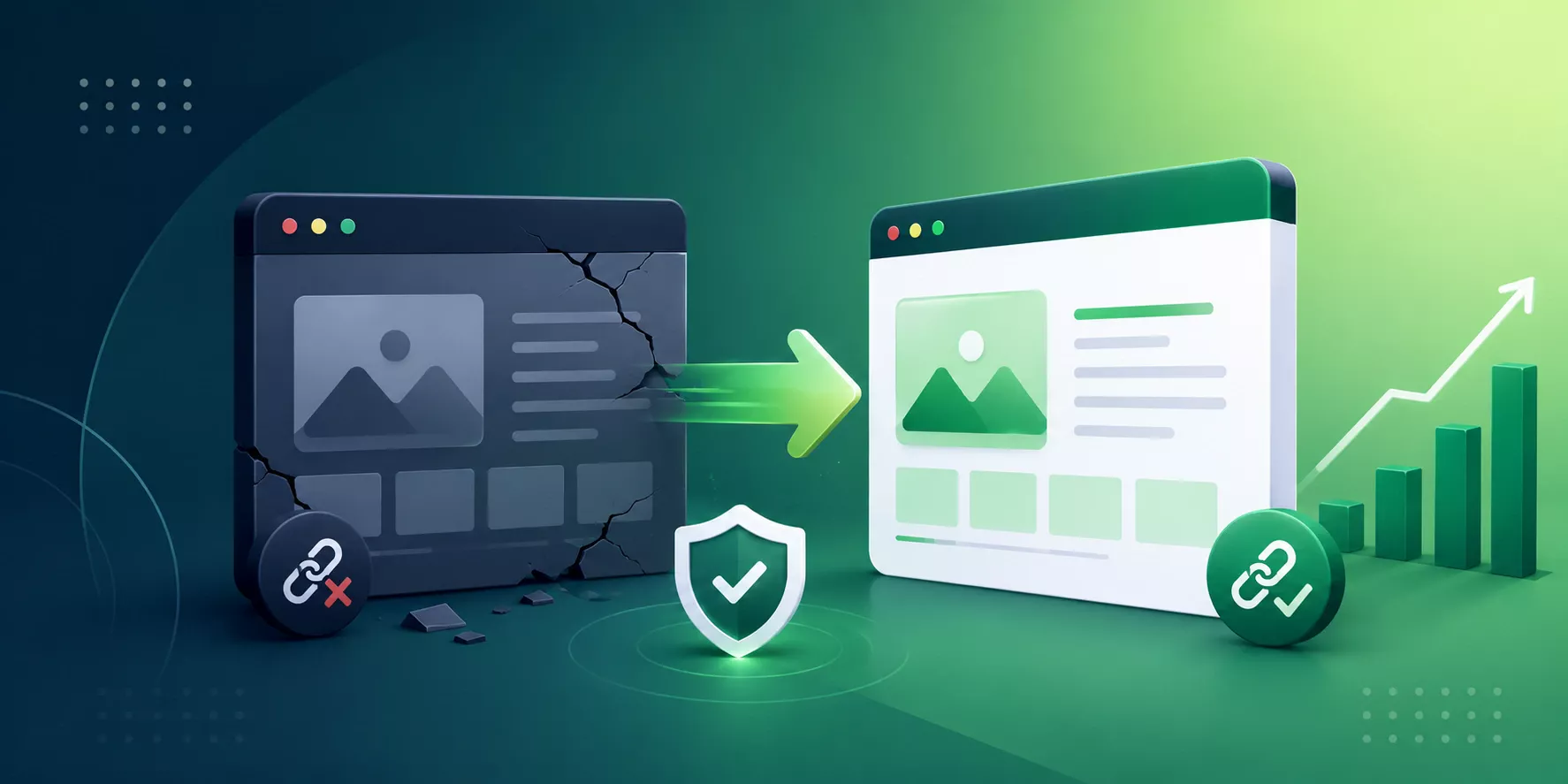
A website migration should never feel like a guessing game. When it works, it mixes gorgeous visual design with exact backend accuracy, and what could become a huge operational worry becomes more like a launchpad for your brand’s growth.
By teaming up with a data led SEO company in Dubai that works hand in hand with an expert web development agency, you keep your legacy rankings well protected. That means your brand can move into a faster, modern digital framework, while your earned organic traffic, visibility, and leads to stay fully intact.
There will be a temporary drop in your search rankings even after a perfectly managed website migration. This can occur for 2 to 4 weeks while search engines recrawl your database. If this persists after 1 month after the migration, then it indicates missing redirects or technical issues.
Changing your domain name changes your website's entire address structure. Google and other search engines treat the new domain as a new entity. As mentioned in the blog, use a 301 Redirect protocol at the server level mapping entire old URL to its respective counterpart.
WordPress is a PHP framework but has heavy plugin overhead that slows server response time. For custom CMS website, Laravel is a premier PHP framework to migrate from WordPress.

Big Ideas Begin with a Simple Hello!